I’m guessing you’re a lot like me.
Your to-do list is long.
Your calendar is packed.
And every night you tell yourself, “Tomorrow I’ll get everything organized properly.”
Then the next morning… it’s chaos all over again.
I’ve tried everything: to-do lists, calendars, reminders, Notion.
They all work fine.
But none of them helped me answer one simple question:
What should I work on first today?
🚀 My Secret Automation Weapon
While Motion plans my day, Make.com automates my boring tasks (Gmail, Slack, Notion).
Try Make.com for FreeMotion was the first app that made me realize something:
“Có lẽ vấn đề không phải là thiếu công cụ —
mà là không ai sắp xếp mọi thứ giúp tôi.”
What Is Motion? (The Simple Explanation)
Put simply:
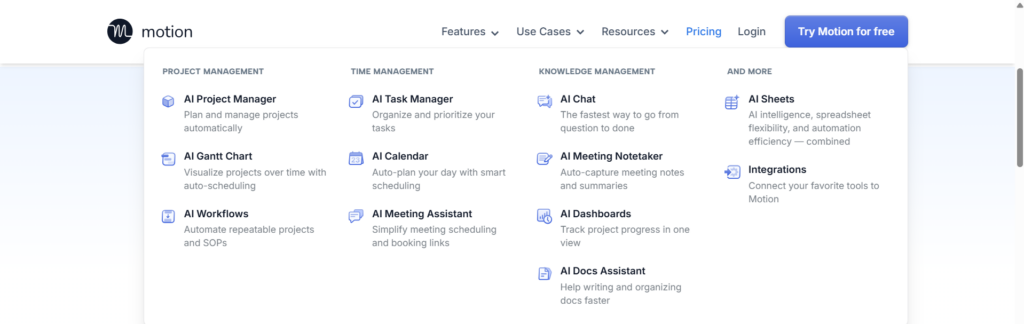
Motion is a second brain for your calendar.
All you need to do is:
- Write down what needs to be done
- Set a deadline
- Decide what matters more
Motion takes care of the rest.
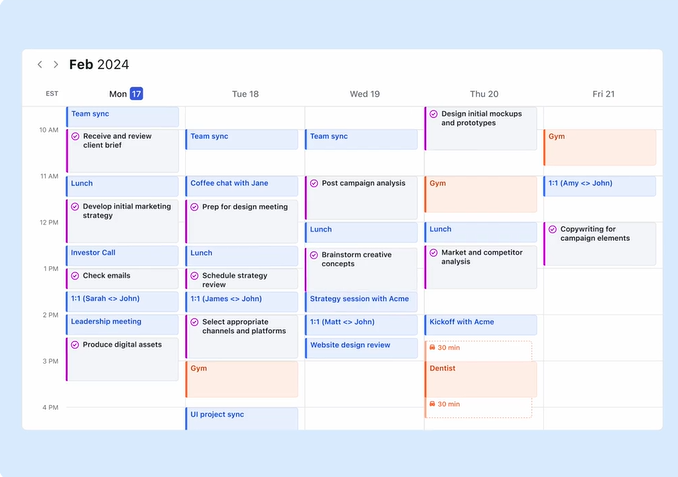
It places tasks directly into your calendar.
If a meeting pops up, it moves things around.
If you fall behind, it reorganizes everything.
You don’t have to think so much anymore.
What Makes Motion Truly Worth Paying For
1. No More Daily Planning
Before Motion, I spent 15–20 minutes every morning just to:
- Check my calendar
- Move tasks around
- Decide what to do first
With Motion, that’s gone.
I open the app and immediately see:
“This is what you should be working on right now.”
It sounds small.
But once you experience it, your mind feels noticeably lighter.
2. Meetings No Longer Destroy Your Entire Day
If you freelance or work with clients, you know the struggle:
- One meeting overlaps another
- Your work time gets constantly interrupted
Motion protects blocks of deep work for you.
It’s not perfect,
but it’s far better than trying to manage everything on your own.
3. Missing a Task Is No Longer a Disaster
Some days, I miss a deadline.
Normally, that would stress me out and ruin my whole plan.
Motion doesn’t judge 😄
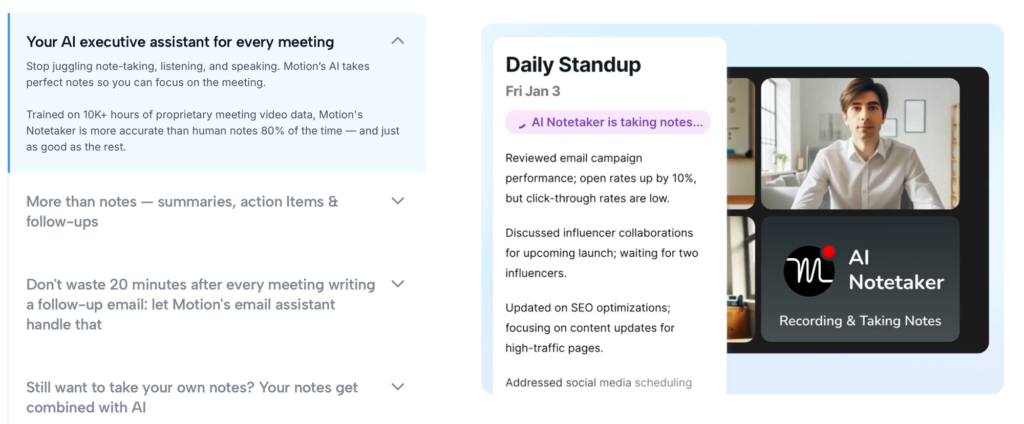
It simply… reschedules.
The feeling is completely different:
- You don’t feel like you “failed”
- You just see an updated plan
Honest Truth: Motion Isn’t for Everyone
I need to be clear about this.
Things you might not like
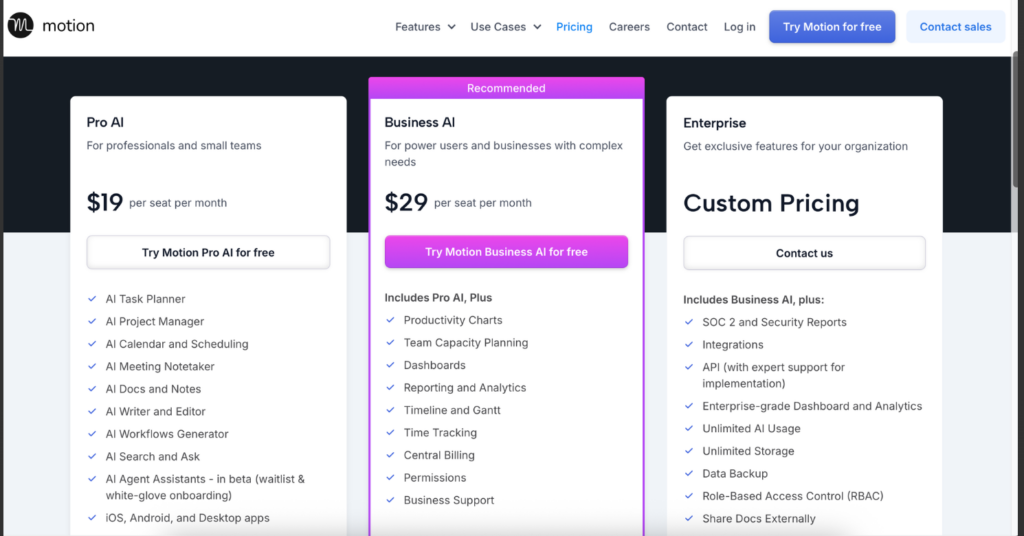
- It is EXPENSIVE: At $34/month, it is one of the priciest tools on the market.
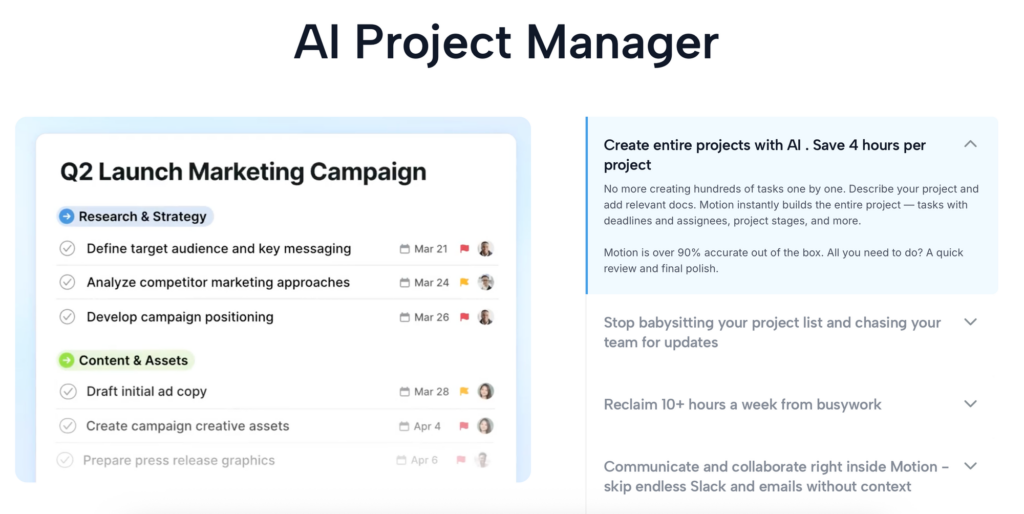
- Steep Learning Curve: It can feel overwhelming and “too much” for beginners.
- Not for Mindful Planning: If you want a calm, stress-free planner, Motion feels too aggressive. (For a calmer alternative, I highly recommend checking out Sunsama).
Is the Price Worth It?
Motion doesn’t offer a free plan.
The Hard Truth About Pricing: Let’s be real. $34/month ($408/year) is a big commitment.
If you run a large agency, it might be worth it. But if you are a freelancer or solo creator, there are smarter options.
For example, Sunsama offers a very similar “daily planning” experience but focuses on mindfulness and calmness—and it costs significantly less. It helps you plan your day realistically without the AI trying to squeeze every second out of you.
So, Should You Use Motion?
My Final Verdict:
- Use Motion IF: You are a busy executive/manager who needs an “AI Boss” to micromanage your schedule and you have a high budget.
- Use Sunsama IF: You are a freelancer, writer, or creator who wants a stress-free, mindful planner to finish work on time without burnout.
Personally, while I love Motion’s tech, I find Sunsama to be the better (and cheaper) choice for maintaining a healthy work-life balance in 2026.

Automation Architect | Certified Make.com Expert helping businesses in Dubai & Singapore scale faster. Specializes in Real Estate CRM & No-Code workflows. Let’s turn your manual chaos into a money-making machine.