If you’re a freelancer, a VA in the Philippines or India, or just a busy human trying to stay organized in Notion…
you already know this pain:
- Copy-pasting calendar events
- Recreating the same tasks every week
- Forwarding emails to yourself
- Losing good ideas from social media
- Starting every morning from a blank page
Imagine if all of that just… happened automatically.
No more manual work.
Let AI do the heavy lifting.
In this guide, I’ll show you 5 free Notion automations using Make.com that you can build without coding and run forever on the Free Plan.
Why Make.com + Notion Is a Cheat Code
Before we jump in:
- Make.com gives you 1,000 operations/month for free
- Multi-step automations are allowed
- Visual drag-and-drop builder
- Native Notion + Google + Gmail integrations
Translation:
You can build a serious automated brain for $0.
1. Google Calendar Sync (The “Poor Man’s Motion”)
“Make normally offers a free plan with 1,000 operations/month. HOWEVER, by using the link below, you are eligible for an exclusive upgrade to 10,000 operations (1-Month Pro) to start!“
🚀 SUPERCHARGE YOUR NOTION!
Don’t just organize data. Automate it with our VIP gift.
RESERVE YOUR 10,000 FREE OPS →
Our partnership with Make.com is being upgraded to include a 1-Month Pro Plan for our readers.
Register now to automatically lock in this reward as soon as it’s live!
Why This Matters (The Pain)
You plan your day in Google Calendar…
But your tasks live in Notion.
So you:
- Re-enter meetings manually
- Forget to log work sessions
- Lose context between tools
Imagine every meeting auto-appearing in Notion.
No more manual work.
No more missed deadlines.
How to Set It Up in Make
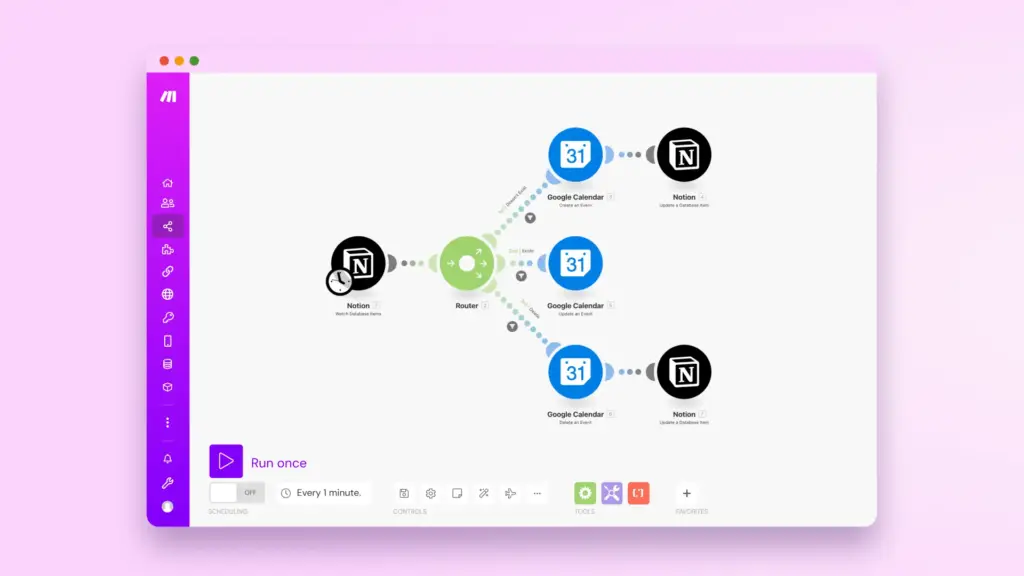
Trigger
- App: Google Calendar
- Module: Watch Events
- Runs when a new event is created or updated
Action
- App: Notion
- Module: Create a Database Item
- Map:
- Event Title → Task Name
- Start Time → Due Date
- Description → Notes
- Location → Meeting Link
Optional Smart Logic
- If title contains “Client” → Tag as Client Work
- If duration > 1 hour → Priority = High
✅ Works on Make Free Plan
This alone replaces tools like Motion or Reclaim for $0.
2. Recurring Tasks (Because Notion Still Sucks at This)
Why This Matters (The Pain)
Daily habits.
Weekly reports.
Monthly invoices.
In Notion, you:
- Duplicate tasks manually
- Forget half of them
- Break your system constantly
Imagine tasks recreating themselves like magic.
How to Set It Up in Make
Trigger
- App: Scheduler (built into Make)
- Set: Daily / Weekly / Monthly
Action
- App: Notion
- Module: Create a Database Item
- Fields:
- Task Name (e.g., “Weekly Review”)
- Due Date = Today + 7 days
- Status = To Do
Advanced Version
- Duplicate a template task
- Auto-assign tags, projects, and priorities
✅ Works on Make Free Plan
This fixes one of Notion’s biggest weaknesses.
3. Email to Notion (Your Client Request Inbox)
💡 Want to run these automations 24/7 without limits?
CLAIM 10,000 OPS GIFT →⚡ STATUS: UPGRADING… Lock in your Pro Plan gift now.
Why This Matters (The Pain)
Clients send requests by email.
You forget to log them.
You lose work.
You look unprofessional.
Imagine every important email turning into a task automatically.
How to Set It Up in Make
Trigger
- App: Gmail
- Module: Watch Emails
- Filter:
- Label = “Client”
- OR subject contains “Task” / “Request”
Action
- App: Notion
- Module: Create a Database Item
- Map:
- Subject → Task Name
- Body → Description
- From → Client Name
- Date → Created Date
Pro Tip
Auto-reply with:
“Your request has been added to my task system.”
Instant professionalism. 😎
✅ Works on Make Free Plan
4. Social Media Watcher (Inspiration Library)
Why This Matters (The Pain)
You see:
- Great content ideas
- Smart business tips
- Cool design inspiration
Then…
You lose them forever.
Imagine every saved post going straight into Notion.
How to Set It Up in Make
Trigger (Options)
- Twitter/X: Watch Liked Tweets
- YouTube: Watch Liked Videos
- Reddit: Watch New Posts
- RSS Feeds from blogs
Action
- App: Notion
- Module: Create a Database Item
- Fields:
- Title
- URL
- Platform
- Topic Tag
- Notes
Result
You build a personal Second Brain on autopilot.
✅ Works on Make Free Plan
5. Daily Stand-up Bot (Your 8AM Brain Kickstart)
Why This Matters (The Pain)
Every morning you:
- Open Notion
- Create a new page
- Copy yesterday’s template
- Waste 5–10 minutes setting up
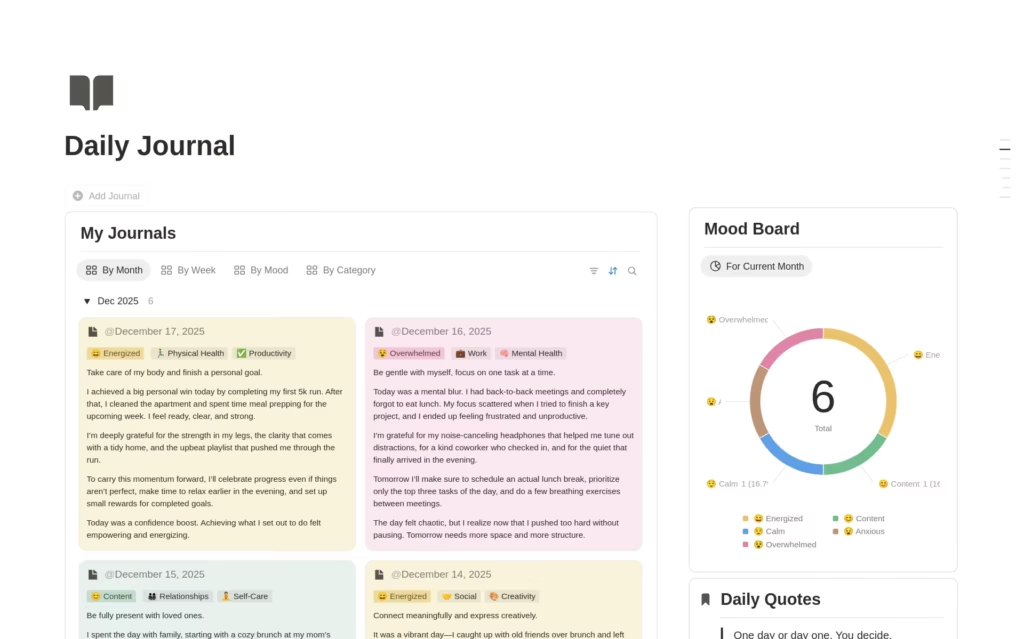
Imagine a fresh Daily Journal waiting for you at 8AM.
How to Set It Up in Make
Trigger
- App: Scheduler
- Time: Every day at 8:00 AM
Action
- App: Notion
- Module: Create a Page
Template Content
- Today’s Focus
- Top 3 Tasks
- Meetings
- Notes
- Gratitude
- Energy Level
Bonus
Auto-link it to:
- Today’s tasks
- Today’s calendar events
You start your day in 30 seconds instead of 10 minutes.
✅ Works on Make Free Plan
Final Thoughts: This Is Your $0 Productivity Upgrade
These 5 automations:
- Save 1–2 hours/day
- Reduce mental load
- Eliminate boring work
- Make Notion feel like a premium system
Imagine running your entire work life on autopilot.
No more manual work.
Let AI do the heavy lifting.
And the best part?
👉 Every single one of these runs on Make’s Free Plan.
Call to Action
“Đừng giới hạn sự sáng tạo của bạn với gói cơ bản. Kích hoạt ngay phần thưởng 10.000 thao tác và xây dựng ‘Trí tuệ nhân tạo’ tự động tối ưu cho cuộc sống của bạn.”
Nếu bạn đã sẵn sàng xây dựng bộ não tự động của mình :
Start here:
Ready to reclaim 10 hours/week?
Start building your Notion “Second Brain” today with our exclusive upgrade.
GET 1-MONTH PRO FREE →⚠️ Note: This upgrade event is time-sensitive.
Start building your automated brain for $0 today.
Your future self will thank you. 💡

Automation Architect | Certified Make.com Expert helping businesses in Dubai & Singapore scale faster. Specializes in Real Estate CRM & No-Code workflows. Let’s turn your manual chaos into a money-making machine.